




How To Prepare Dielines For Prepress & Printing
One of the primary processes that you must get right at the beginning of any packaging project is creating a box dieline. Dielines are templates that ensure your final packaging designs are correct and meet your quality standards.
For custom packaging, the prepress printing process should receive the same level of consideration as the design. This is critical in determining the overall appearance and feel of your packaging, so it is important to get this part right and to have a standardised process in place.
In this article, we will take you through the process of creating dielines for prepress, but first, we will pause to cover the basics.
- 1. What is a dieline?
- 2. Considerations before preparing a dieline
- -Size
- -weight
- -Purpose
- 3. Creating a Dieline Template
- -Cutting lines
- -Crease lines
- -Bleed lines
- -Safe zone
- -Glue tabs
- 4. Prepress workflow and appropriate artwork design
- 5. Selecting the appropriate printing technique
- 6. Preparation for manufacture
- 7. Final Dieline and Prepress Checklist
1. What is a dieline?
Dielines can be created and used in large numbers by graphic designers, die cutters or printers to make various types of packaging. They are the blueprint for your final packaging and are, in fact, vector files. They serve as a guide for cutting, scoring, and making indentations during the die-cutting process to create your packaging. Dielines include:
- Packaging size, scale and dimensions;
- Location of visual elements and the positioning of creases, cut lines, tabs, folds and other connection points.
- Manufacturing notes
- Bleed requirements
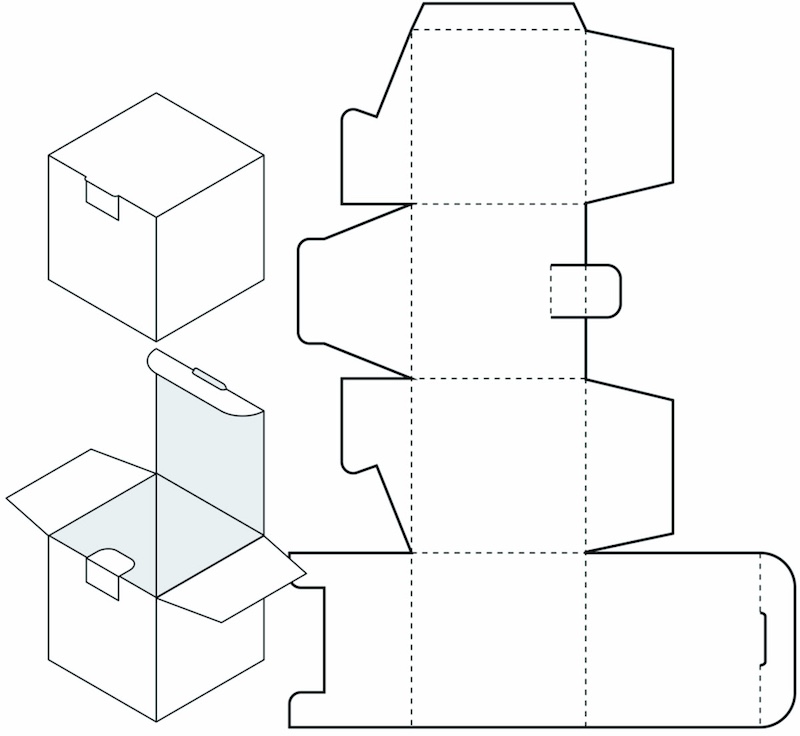
The fact that dielines are the blueprint of your end product package demonstrates their importance, but if you would like to know more about what a dieline is in packaging, we have a detailed explanation here.
Now that you have a better understanding of dielines, it's time to jump into the step-by-step tutorial on preparing your dielines for prepressing and printing!
2. Considerations before preparing a dieline
These are some of the things that you should take into consideration before developing packaging dielines.
-Size
The first thing to decide is the size of the packaging required for your product. Your packaging should be as small as possible while still comfortably accommodating your product.
Dielines are typically printed on industry-standard-size sheets, so avoid choosing packaging sizes that are too large, as printers may not have the capacity to die-cut large sheets for large projects.
-weight
The weight of your product should also be taken into account. Thicker stock, such as corrugated cardboard, may be needed to sufficiently support and protect heavier products, which influences the type of die-line required.
-Purpose
Lastly, consider the purpose of your packaging, as this will determine the appearance of your box die-line. Are you an e-commerce company that relies on shipping your products? Or are you a retail company that needs to make a good impression on the shop floor?
E-commerce companies will most likely opt for thicker cardboard, such as corrugated paperboard, to cushion goods during transit. As an e-commerce company, it is important to consider how your packaging will reach customers, so its dieline may have extra flaps or tabs for additional cushioning.
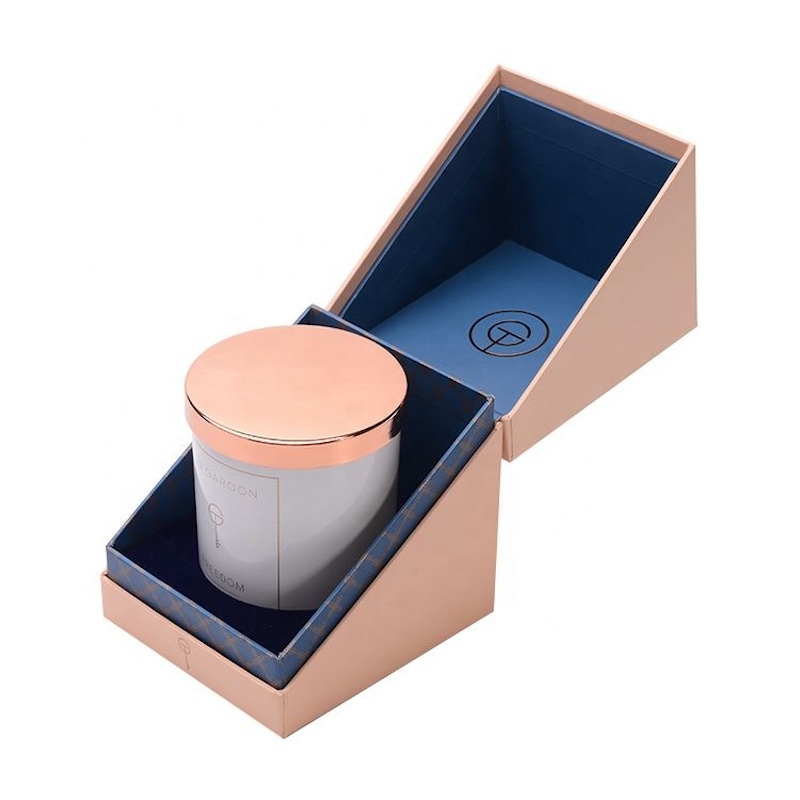
Conversely, retail stores will probably prefer folding cartons or rigid boxes for lighter products; the dieline can therefore have fewer flaps and tabs.
Understanding how your packaging will be used in your industry will give you a better idea of what to expect when creating your die lines. Once you have finalised the details, you can convert them into a blueprint that can be understood by the printer and die-cutting machine.
3. Creating a Dieline Template
Box dielines are not easy to understand as there are many technical details to remember when creating them. Most custom packaging companies or manufacturers include their own templates to ensure the structural design of your packaging is correct. This means that you only need to place your artwork and logos in a way that ensures the colours are print-compatible.
To learn more about this process, we have provided you with a free dieline template:
To put your artwork design on the template, you will need Adobe Illustrator to open the vector file. The template will also include various coloured lines associated with instructions for the die-cutting machine.
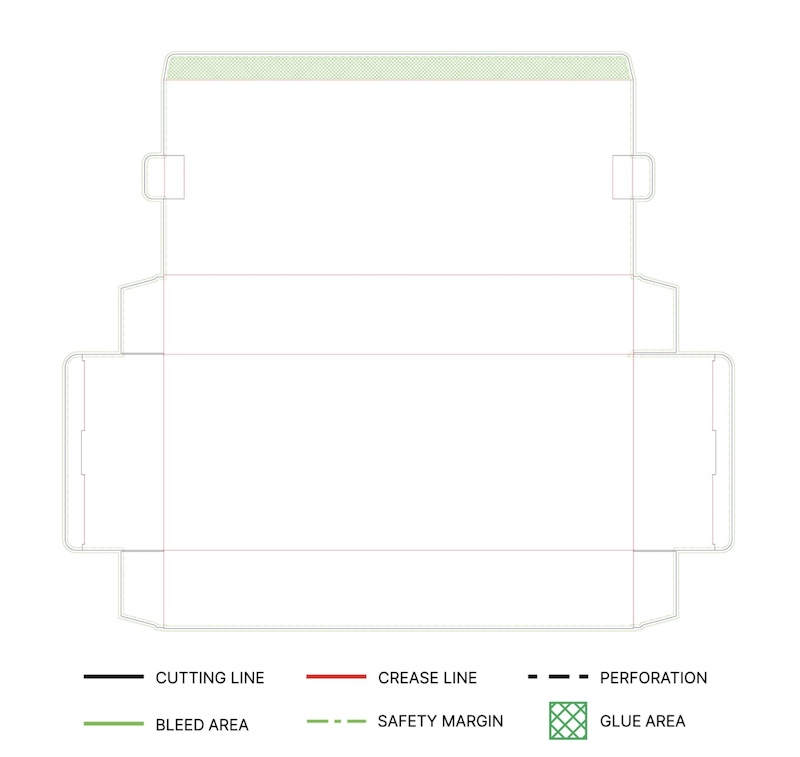
It is important to understand the meaning of these lines when positioning your artwork. Please note that the colours listed are the standard for each company, but are connected to the standard for dielines used by PakFactory. With this in mind, we will now examine the meaning of each colour and line.
-Cutting lines
The most important element of your dieline will probably be marked with black cut lines. They provide instructions on where to cut the die-line to create the final packaging.
-Crease lines
Crease lines are typically drawn in red and show where to fold your packaging. Red dotted lines make it easy to construct your packaging.
-Bleed lines
Bleed lines are indicated in green and show the surplus space that will be filled with your artwork design. Bleed lines ensure that your artwork is not obscured and that your packaging design matches your vector file.
To avoid a white border around the edge of the design, any artwork must bleed into the next panel or onto the unused area outside the cutting lines.
-Safe zone
The safe zone is a green dotted line that shows the printer which areas of your custom-printed boxes will definitely be visible. Safe zones help printers to position the printed artwork properly on the finished product and take stock movement into consideration during printing.
-Glue tabs
Your glue tabs are displayed as green crosses to show where glue should be used in the construction of your packaging. Please note that not all packaging structures have glue tabs, such as auto-lock bottom boxes, which are designed to be used without glue or tape.
4. Prepress workflow and appropriate artwork design
We have already mentioned the prepress printing process, but what exactly is it?
Prepress encompasses all the printing processes and procedures between designing the print layout and final printing. To achieve the maximum possible accuracy and quality of your die-line designs, follow this prepress workflow.
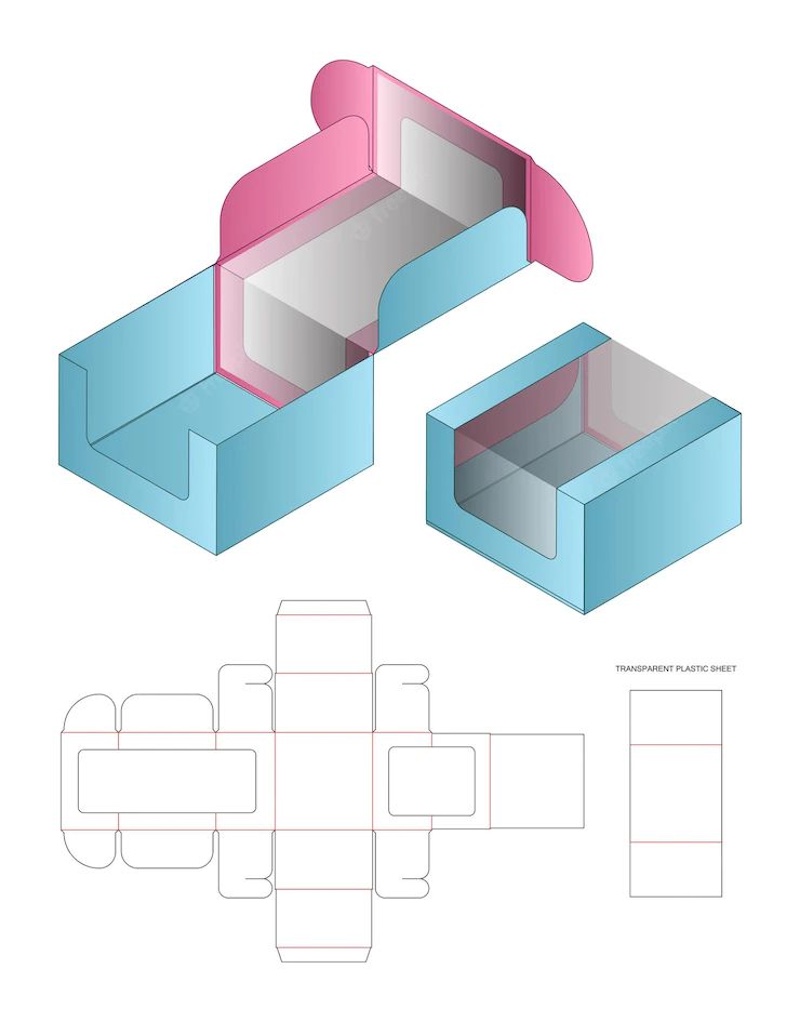
- Dieline: Do not flatten, scale or size dieline templates.
- Colour: Art files should be converted to the CMYK colour space. CMYK will produce the best colour results when printing your designs on a computer. The PMS colour code and a swatch should also be mentioned.
- Artwork: When designing your artwork, ensure that it bleeds into the bleed areas to avoid white spaces, but make sure that your main artwork and information remain within the boundaries to avoid being cut off. Furthermore, ensure that any thin lines in your artwork are at least 0.25 pt.
- Images: Add any images you are using and ensure the resolution is 300 DPI to prevent blurring.
- Fonts: Fonts should be added last, once all the artwork, images and colours are complete. Text should be at least 6 pt, and a 100 percent K value should be used for black text, QR codes or UPC barcodes. Finally, convert all fonts to outlines. This will ensure that your preferred typeface is used and prevent fonts from going missing. To do this, select your text, locate the Type menu, and select Create Outlines.
We have provided you with a simple checklist to assist you in presenting designs to Winpack printing. Now that you have completed your die line, it is time to consider the printing method.
5. Selecting the appropriate printing technique
As mentioned above, dielines are drawn on large pieces of material and then cut and assembled. Returning to the size of your packaging, it might not be effective to use larger sizes of dieline because the package might not maintain its shape once constructed, and it might not be possible to print on a sheet that large.

Therefore, it is necessary to consider the size of your product to ensure it fits comfortably into the package and that your dieline is not too large to be printed.
The vibrancy and complexity of your artwork designs are also important considerations. If your designs are vibrant and intricate, you will definitely choose offset printing to achieve the best possible results. This is also significant for designs with a high text content, since the text must be readable by customers.
Alternatively, for less flashy designs or ones that do not require outstanding clarity to be effective, digital printing may be more appropriate for your packaging design.
6. Preparation for manufacture
Once you have finalised your die-line design and decided how to print it, you can submit your project to mass production with complete confidence. However, it is important to subject your packaging to quality control tests to ensure that it can withstand any environment it might be subjected to.
Test your final design with your manufacturer before going into mass production. This will enable your packaging designer or manufacturer to modify your box die-line based on any structural problems encountered in the quality control process.
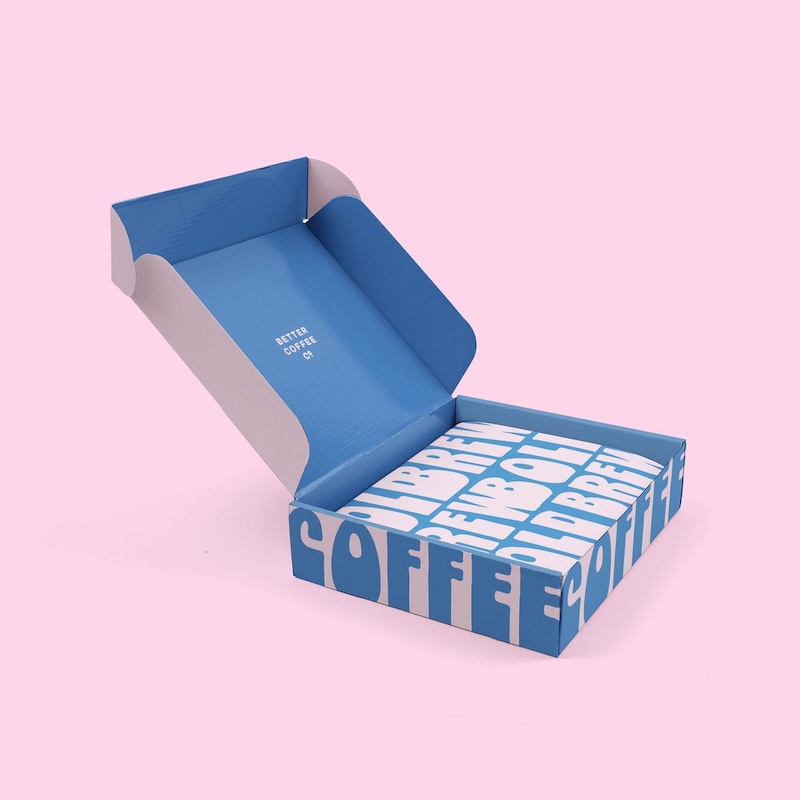
By placing an order for your finalised design, you will be able to handle the packaging physically and make any necessary corrections to the artwork or text. Find out why it is necessary to order samples for your product packaging.
Once you are satisfied with your prototype samples and have made any necessary changes, the process is complete! Your die-line packaging will be ready for mass printing and manufacturing.
7. Final Dieline and Prepress Checklist
Designing packaging templates can be a daunting task, but our packaging design and structural engineering services can help! Winpack Printing has extensive experience of working with businesses in various industries on their packaging designs, and dielines are no exception. We hope that the above information and checklist will make it easier for you to prepare a packaging die line for your project.
However, if you have any questions or would like to take the next step with custom packaging, call one of Winpack Printing's product specialists today!


OEM Services
How do I get a quote for my OEM order?
To receive a custom quote, simply contact us with your packaging requirements, including:
Product type and dimensions
Material preferences
Design specifications
Order quantity
Any special requests
Our team will assess your needs and provide a competitive quote tailored to your project.
Special Shape Boxes
Can I order a sample of my packaging box?
Yes, we strongly recommend that you do so, we provide a variety of sample types to meet different usage situations and help you guarantee the best results!
Rigid Lift-off Box
Can I print on the inside of the box?
Yes, you can print any effect you want on the inside.
About Us
How soon we can get a sample?
Usually,reference sample within 2 days. Customized sample need 5-7days.
About Printing Craftsmanship
What factors should I consider when choosing a printing technique?
Material: Some methods work better on specific surfaces (e.g., screen printing for fabric, offset for paper).
Budget: Offset is cost-effective for large runs, while digital printing is better for short runs.
Aesthetic & Finish: If you need metallic effects, choose hot stamping; for texture, consider embossing.
Durability: UV printing and screen printing offer long-lasting prints resistant to fading.

Start Your Packaging Journey Today
Discover Our Curated Collection of Bespoke Packaging Cases & Tailored System Solutions
© 2025 WINPACK PRINTING. All rights reserved

Wenhua Printing packaging
winpackprinting
Winpack Printing